pxbet Deposit – Top Up via GCash, Maya, or Local Bank and Start Playing Right Away on Mobile

This page covers everything Filipino players need to know about depositing funds into their pxbet account — from which payment channels are supported to how long credits take to appear. Whether you are topping up for the first time or looking for the fastest way to fund your balance before a live game, the steps here are straightforward and designed for mobile use. All deposits are processed in Philippine pesos, so there is no currency conversion and no hidden fees to worry about.

Mobile Deposit GCash & Maya Local Bank Transfer Fast Credits Secure & Verified
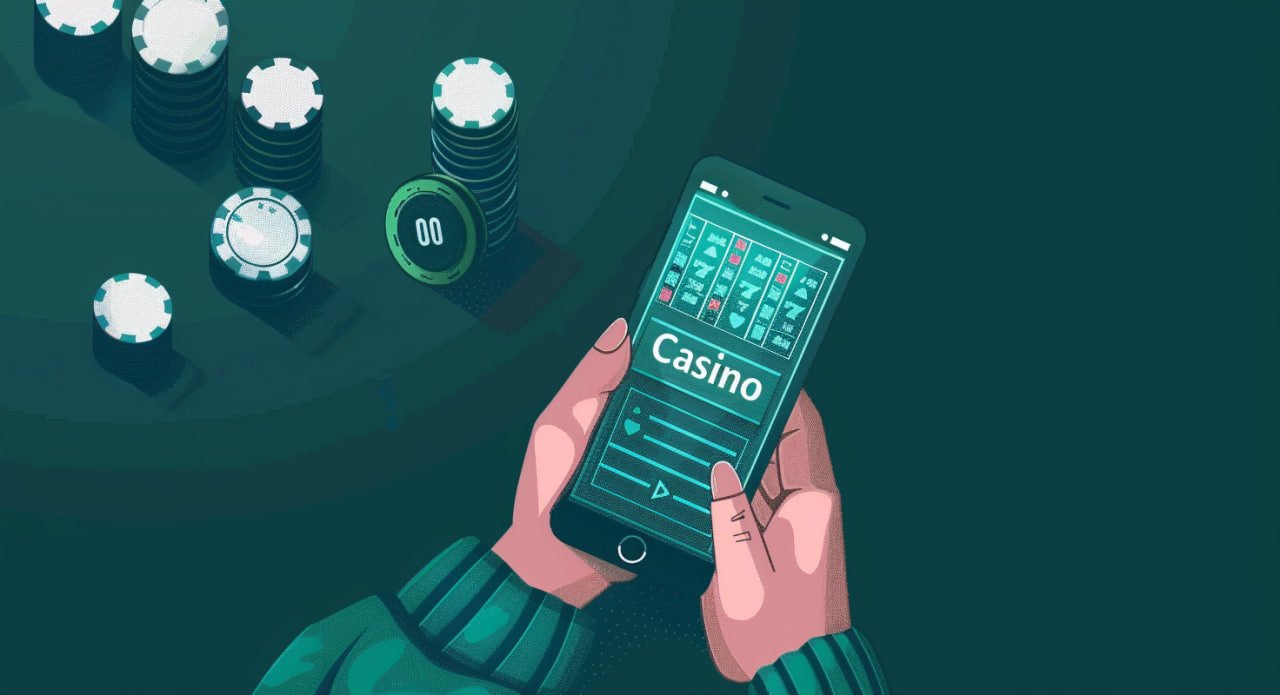
Filipino player depositing funds to pxbet via GCash on mobile browser
GCash Deposit Maya Top-Up Local Bank Transfer Fast Credit Secure Transactions PHP Deposits Only No Currency Conversion Low Minimum Amount GCash Deposit Maya Top-Up Local Bank Transfer Fast Credit Secure Transactions PHP Deposits Only No Currency Conversion Low Minimum Amount

How Do You Deposit Money into Your pxbet Account?

Depositing into your pxbet account is done entirely from your mobile browser — no app download is required, and the process works on both Android and iOS devices across the Philippines. The platform accepts GCash, Maya, and local Philippine bank transfers as deposit channels, all processed in Philippine pesos so there is no currency conversion involved. Once you log in and navigate to the Deposit section, you select your preferred payment method, enter the amount, and follow the on-screen steps to complete the transfer. Credits typically appear in your pxbet balance within a few minutes for e-wallet deposits, while bank transfers may take slightly longer depending on your bank. If you do not have an account yet, you will need to register for free before making your first deposit — the sign-up process takes under three minutes from your phone.

Four Reasons Depositing on pxbet Works Well in the Philippines

GCash and Maya Accepted

GCash and Maya are the two most widely used e-wallets in the Philippines, and pxbet supports both as deposit channels so you can fund your account using the app you already have on your phone. The deposit flow is straightforward — you initiate the transfer from the pxbet Deposit page, confirm the amount, and authorise the payment through your GCash or Maya app in just a few taps. E-wallet deposits are typically the fastest option, with credits appearing in your pxbet balance within minutes of a successful transfer. There are no extra fees charged by pxbet for using GCash or Maya, making them the most cost-effective way to top up your account. If you are new to pxbet, setting up your first deposit via GCash or Maya is the quickest path to getting started with sports betting, bingo, or fish games.

Local Bank Transfer Support

For players who prefer to deposit directly from their Philippine bank account, pxbet supports local bank transfers as an alternative to e-wallets. This option is useful if you bank with a major Philippine institution and want to move a larger amount in a single transaction without going through a separate e-wallet app. Bank transfer deposits follow the same process — log in, go to the Deposit section, select bank transfer, and follow the instructions to complete the payment from your online banking portal or mobile banking app. Processing times for bank transfers may be slightly longer than e-wallet deposits, but the funds are credited to your pxbet balance as soon as the transfer is confirmed. This channel gives Filipino players flexibility to choose the payment method that best fits their banking setup.

All Transactions in PHP

Every deposit on pxbet is processed in Philippine pesos, which means the amount you send is exactly the amount credited to your account balance — no currency conversion, no exchange rate surprises, and no hidden deductions. This is particularly important for Filipino players who want to know precisely how much they are working with before placing bets or joining a bingo round. The PHP-only approach also makes it easier to track your spending and manage your gaming budget responsibly. When you are ready to cash out your winnings, the same balance in Philippine pesos is available for withdrawal to GCash, Maya, or your bank account. For more details on how withdrawals work, visit the Withdrawal page which covers every step of the cashout process.

Fully Mobile, No App Needed

The entire deposit process on pxbet is designed to work smoothly on your mobile browser, whether you are using Android or iOS, without requiring any app installation or software download. The deposit interface is optimised for smaller screens, so buttons, input fields, and payment instructions are all clearly laid out and easy to interact with on a standard smartphone. You can complete a deposit in under two minutes once your account is set up and your preferred payment method is linked. This mobile-first approach means you can top up your balance from anywhere in the Philippines — at home, during a break, or while waiting for a game to start. There is no need to switch to a desktop or manage app updates, keeping the experience as frictionless as possible.

How to Make Your First Deposit on pxbet

1

Register or Log In to Your Account

If you do not have a pxbet account yet, go to the Register page and sign up for free in under three minutes. Existing players can go straight to the Login page and access the Deposit section from the main account menu.

2

Go to the Deposit Section

Once logged in, navigate to the Deposit section from your account dashboard. You will see the available payment channels — GCash, Maya, and local bank transfer — listed clearly with instructions for each.

3

Choose Your Payment Method and Amount

Select GCash, Maya, or bank transfer, then enter the amount you want to deposit in Philippine pesos. Make sure the amount meets the minimum deposit requirement before confirming.

4

Complete the Payment and Check Your Balance

Follow the on-screen instructions to authorise the payment through your GCash, Maya, or banking app. Once confirmed, your pxbet balance will be updated — usually within minutes for e-wallet deposits — and you can start playing right away.

pxbet deposit steps shown on a Philippine mobile phone screen

pxbet Deposit Options for Filipino Players

Payment Method Processing Time Currency Mobile Friendly
GCash Within minutes PHP Yes – via GCash app
Maya Within minutes PHP Yes – via Maya app
Local Bank Transfer Varies by bank PHP Yes – via mobile banking

Cash Out Your Winnings

Once your balance is ready, the Withdrawal page walks you through every step of sending your PHP balance to GCash, Maya, or a Philippine bank account quickly and securely.

Go to Withdrawal

Play Bingo After Depositing

After topping up your account, head to the Bingo page to join live number draw rounds and win real PHP prizes — no app download needed, fully playable on your mobile browser.

Go to Bingo

Deposit Questions Answered

Have a question about minimum amounts, processing times, or failed transactions? The FAQ page has clear answers for Filipino players on all common deposit topics.

Visit the FAQ

Deposit FAQ for Filipino Players

pxbet accepts GCash, Maya, and local Philippine bank transfers as deposit channels, giving Filipino players the flexibility to use the payment method they already rely on for everyday transactions. GCash and Maya are the most popular options because they are fast, widely available, and can be completed entirely from your smartphone without visiting a bank or ATM. Local bank transfers are also supported for players who prefer to move funds directly from their bank account, though processing times may vary depending on the institution. All deposits are processed in Philippine pesos, so there is no currency conversion and the amount you send is exactly what appears in your pxbet balance. If you have questions about a specific payment method not listed here, the FAQ page has additional details on supported channels.

Deposits made via GCash or Maya are typically credited to your pxbet account balance within a few minutes of a successful payment confirmation, making e-wallets the fastest option for Filipino players who want to start playing quickly. Local bank transfers may take longer depending on your bank's processing schedule, and some transfers initiated outside of banking hours may be processed on the next business day. If your deposit has not appeared after the expected timeframe, check that the payment was successfully authorised on your GCash, Maya, or banking app before contacting support. In most cases, delays are caused by a pending authorisation on the payment side rather than an issue with the pxbet platform itself. For a full guide on what to do if a deposit is delayed, visit the FAQ page for step-by-step troubleshooting advice.

Yes, pxbet has a minimum deposit amount that applies to all payment channels, and this amount is displayed clearly on the Deposit page when you select your preferred payment method. The minimum is set at a level that is accessible for most Filipino players, allowing you to start with a modest top-up and explore the platform before committing to a larger balance. If you enter an amount below the minimum, the system will prompt you to adjust before the transaction can proceed. It is always a good idea to check the current minimum on the Deposit page directly, as amounts may be updated from time to time. For any questions about deposit limits or account-specific restrictions, the FAQ page is the best place to find up-to-date answers.

No app download is required to deposit on pxbet — the entire process is handled through your mobile browser on Android or iOS, and the deposit interface is fully optimised for smartphone screens. You will need the GCash or Maya app installed on your phone if you choose those payment methods, but that is for authorising the payment on the e-wallet side, not for accessing pxbet itself. For bank transfers, you can use your bank's mobile banking app or online banking portal to complete the payment without any additional software. The mobile-browser approach means there are no app updates to manage and no storage space required on your device beyond what your browser already uses. Simply open your browser, log in to pxbet, and navigate to the Deposit section to get started from anywhere in the Philippines.

Once your deposit is credited, your pxbet balance in Philippine pesos is available to use across all sections of the platform — including sports betting on basketball and football, live bingo rounds, fish shooting games, and casino-style entertainment. You can switch between game categories without making additional deposits, and any winnings are added directly to the same balance. When you are ready to cash out, the full balance is available for withdrawal to GCash, Maya, or a local Philippine bank account at any time. The Wins page gives you an overview of the prize categories available across the platform so you know what you are playing for. For a complete guide on how to withdraw your balance after winning, visit the Withdrawal page which covers every step of the cashout process.

Ready to Top Up and Start Playing on pxbet?

Filipino players can fund their pxbet account in minutes using GCash, Maya, or a local bank transfer — all in Philippine pesos, all from a mobile browser with no app download required. Create your free account now and make your first deposit to access sports betting, bingo, fish games, and more right away.